Blog:
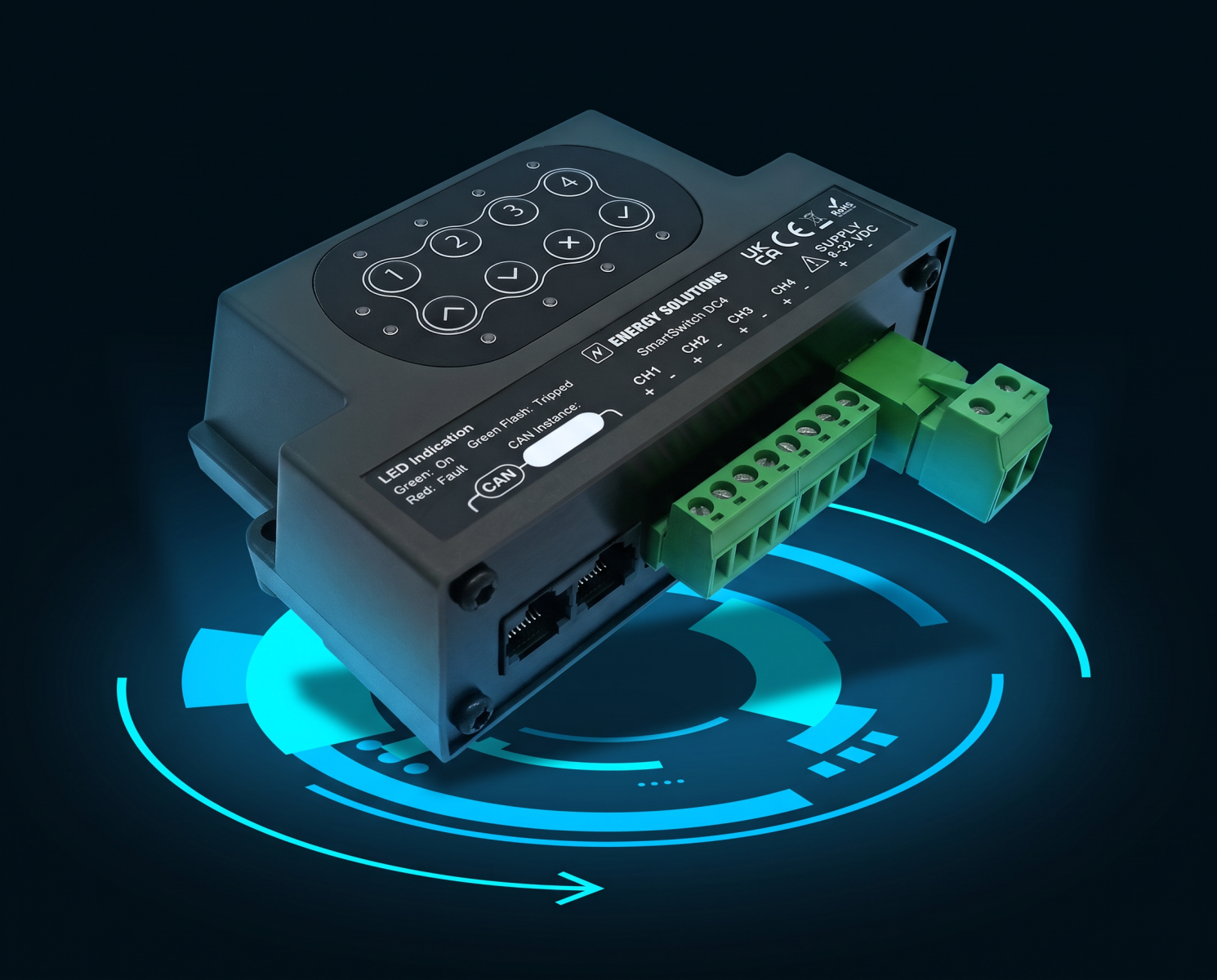
SmartSwitch DC4 is now more flexible: four practical updates for installers and OEMs
Digital switching should make a power system easier to install, configure and use
In practice, however, the details of an installation can still create unnecessary workarounds. A load may need more current than an individual channel can provide. LED fittings do not always dim evenly. A customer may want a familiar wall switch as well as touchscreen control. A sensor may use the opposite input logic from the one expected.
The latest SmartSwitch DC4 update addresses all four challenges.
The result is a more adaptable DC switching platform that gives installers and OEMs greater freedom over how loads, lighting, physical switches and simple sensors are integrated into a Victron system.

Channel 4 now supports up to 10A
Channel 4 has been upgraded to support up to 10A, compared with 5A previously.
This gives installers more flexibility when allocating higher-current DC loads across the SmartSwitch channels. In suitable applications, it may also remove the need for an external relay, reducing the number of components that need to be specified, installed and supported.
The SmartSwitch module’s overall current rating remains unchanged, so the complete installation must still be designed within the overall module and circuit limits.
However, increasing the capacity available through Channel 4 makes it possible to connect a broader range of loads directly and gives installers more options when planning the system.
Configure dimming around the lighting
LED lighting does not always respond evenly across a standard dimming range.
Some fittings have a lower section where changes make little or no visible difference. Others reach their effective maximum brightness before the control reaches 100%. These areas are often described as dead bands and can make the dimming control feel inconsistent or unresponsive.
SmartSwitch DC4 now allows installers to set minimum and maximum dimming levels as percentages.
This means the available control range can be matched to the actual behaviour of the connected lighting. Once configured, the user experiences a smoother and more consistent transition between minimum and maximum brightness.
It also provides a much simpler alternative to compensating for unusual LED behaviour through additional programming or custom control logic.
Coming soon - Configure channels as inputs or outputs
Individual SmartSwitch channels can now be configured to operate either as traditional outputs or as digital inputs.
This means compatible switches, push buttons and contact-based devices can be connected directly to SmartSwitch without requiring separate interface electronics in suitable installations.
Physical controls can then work alongside the Victron GX interface, touchscreen and remote control.
For example, an installer could use:
- a wall switch to control a SmartSwitch lighting circuit;
- a push button to trigger a SmartSwitch function;
- a door contact to activate a light or alarm;
- a float switch to provide an input to the wider system;
- a physical control to initiate an automation sequence.
This is particularly valuable where touchscreen control is useful but a familiar physical switch remains the quickest and most intuitive option for the end user.
Input logic can now be inverted
The new invert function allows installers to reverse the way SmartSwitch interprets an input. This makes it easier to integrate both normally open and normally closed switches and contact-based sensors.
Rather than altering the wiring or adding external logic to reverse the input behaviour, the installer can configure it within SmartSwitch.
It is a relatively small configuration change, but one that gives installers much more freedom when selecting switches and sensors for a particular project.
What do the updates mean in practice?
Collectively, the updates allow installers and OEMs to:
- connect a broader range of DC loads directly;
- reduce the need for external relays in suitable applications;
- tailor dimming to the actual behaviour of the connected lighting;
- combine physical, touchscreen and remote control;
- integrate compatible switches, push buttons and contact-based sensors more easily;
- accommodate normally open and normally closed devices;
- use one adaptable platform across a wider range of installations.
For OEMs, this creates more opportunities to standardise the control architecture across different builds without losing the ability to adapt the system to individual loads, lighting and control requirements.
For installers, it means fewer workarounds and more flexibility during specification and commissioning.
For the end user, it means smoother lighting control and the ability to use familiar physical switches alongside the wider digital system.
Sign up to our mailing list
Keep up to date with the latest news and offers.

|
Thank you for Signing Up |


Submitting your details indicates that you have read and agree to our privacy policy and cookie policy. You can unsubscribe from our emails by using the link at the bottom of all emails we send.