
Home / Applications /

Smartswitch

SmartSwitch

Digital DC switching for Victron systems - without the cost, clutter or complexity


Smarter DC Load Control
Monitor, automate and control DC circuits from one system.

Simpler, Cleaner Installations
Reduce relay banks, wiring clutter and panel complexity.

Native Victron Integration
Works seamlessly with the Ekrano and Cerbo GX models within the Victron ecosystem.


The missing piece in many Victron installations…

If you build Victron-powered systems, you already know the awkward truth about DC loads: the “smart” part of the system has moved on but switching hasn’t. You can have a Cerbo GX, a beautiful touchscreen, remote access through VRM and a clean monitoring setup – then still end up wiring DC loads like it’s 2005. Relay banks. Manual switch panels. Bundles of cabling. Labels that make sense for a month, then don’t.

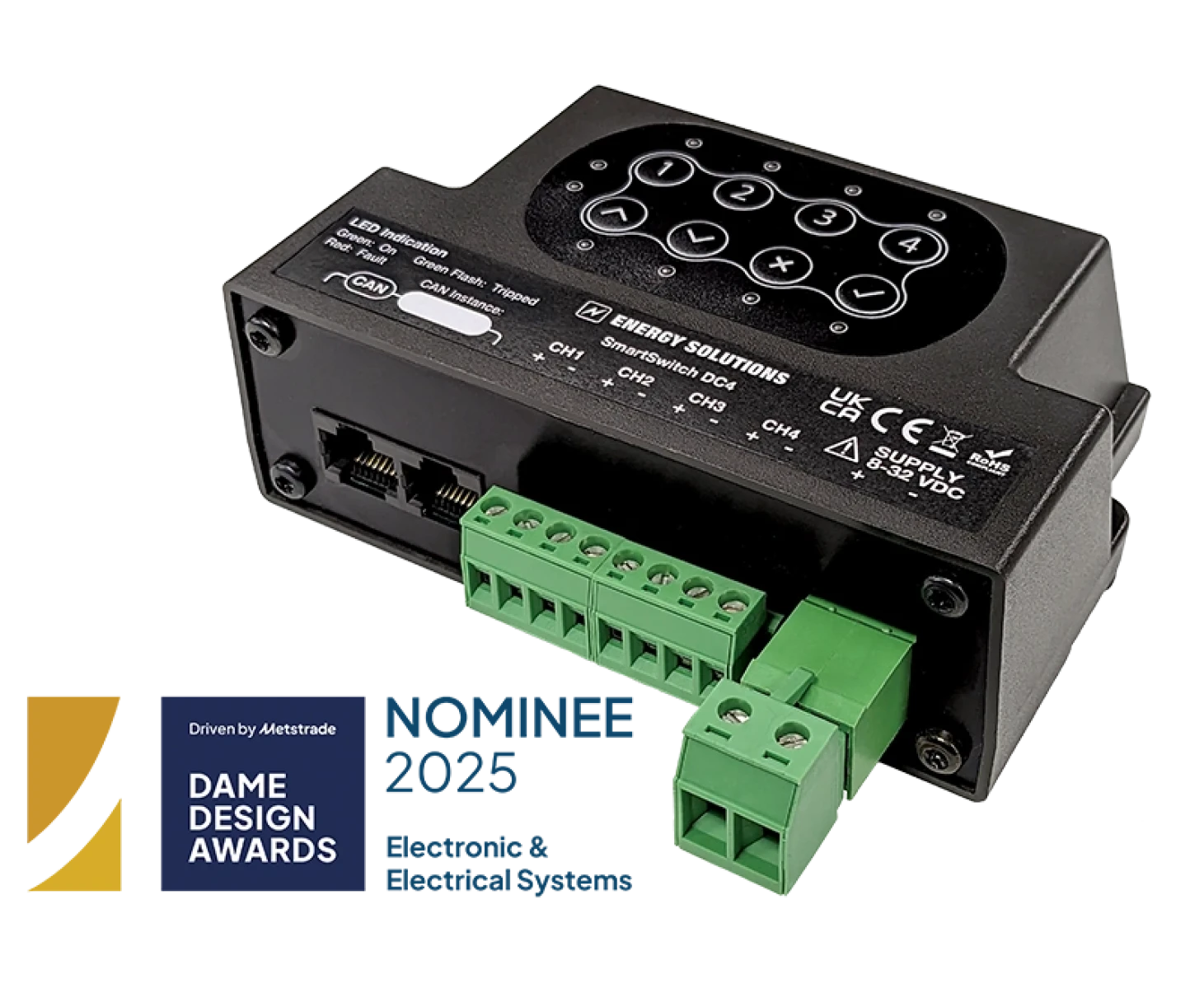
SmartSwitch DC4 fixes that. It brings software-defined control to DC power distribution, so DC loads become part of the Victron ecosystem – not something separate you have to bolt on and hope for the best.

Who the SmartSwitch DC4 is ideal for

SmartSwitch DC4 is designed for Victron-based installations. It works natively with Victron Cerbo GX and integrates into the Victron environment (screen/app/VRM). If you’re not using Victron, this isn’t the right tool for you. If you are using Victron, SmartSwitch opens up a better way to control DC circuits across marine, RV and off-grid builds.

Explore SmartSwitch DC4 by application

Marine

Make onboard DC control cleaner, safer, and easier to manage – especially when loads matter.

RV and campers

Give converters and upfitters a practical way to deliver “smart” without turning every build into a custom engineering exercise.
Installers

Digital switching you can actually standardise, support, and profit from, with UK engineering support behind you.

Most DC switching systems force you into a compromise

Traditional manual switching works but creates bulky, fragmented wiring that’s hard to evolve, troubleshoot or upgrade when customers ask for things like dimming, automation or remote control – or you step up to digital switching systems. They can be brilliant but often come with a heavy price tag, a bigger footprint, specialist setup and bespoke programming that doesn’t stack up for many typical Victron installs. SmartSwitch DC4 was created to remove that gap by tackling the barriers – cost, complexity and space – head-on.

SmartSwitch

Recognised for innovation in technical electrical advancement

SmartSwitch DC4 has been recognised by the DAME Design Awards, one of the marine industry’s most respected awards, for delivering meaningful technical advancement for marine installations


Controllable and scalable – what SmartSwitch DC4 actually is

SmartSwitch DC4 is a compact, CAN-bus-enabled DC load controller designed and manufactured by Energy Solutions, developed in close partnership with Victron Energy. It gives you four independent DC channels in one module, with built-in protection and real-time status feedback – controllable through a Victron Cerbo GX, touchscreen, or remote portal. It’s also designed to scale. If four channels are not enough for a specific build, you can daisy-chain up to five units, giving you up to 20 channels without turning the electrical bay into a science project.

What changes when you use SmartSwitch DC4

SmartSwitch DC4 doesn’t just replace a switch panel. It changes the experience of building and supporting DC systems. Instead of DC loads being separate from the “brain” of the system, they become visible, controllable and configurable in the same environment you already use for everything else.

You can set up loads in a way that makes sense for the user. Name them properly. Group them. Present them cleanly on-screen. The SmartSwitch training guide examples show how naming and grouping turns a basic setup into something genuinely intuitive.

And once DC loads are visible in the system, you can start to use the system properly – monitoring, safety controls, automation and remote support.

Where SmartSwitch DC4 makes a real difference

SmartSwitch DC4 is a deceptively powerful addition to a Victron system. It may be compact, but in practice it changes how DC loads are installed, managed and supported.

Cleaner installations:

Fewer bulky switching components. Less physical switch clutter. A simpler electrical bay that’s easier to service and easier to hand over. 

Faster fault-finding:

Because channels can be monitored, you’re not guessing what’s live, what’s failed or what’s been left on. That’s good for installers and it’s good for the end user who just wants the system to behave. 

A more premium Victron experience: 

Victron users are buying into intelligent power. SmartSwitch makes the DC side match that expectation, without forcing a full “big system” switching platform onto a modest build.

Technical overview

SmartSwitch DC4 is built for 12/24V DC load control and integrates cleanly into CAN-based environments.

  • Four independent channels (latched, momentary or dimming options)
  • 8–32V DC input (control and load)
  • 5A per channel, 15A total
  • Over-current and over-temperature protection with software-defined control
  • CAN compatibility including Victron VE.Can (pinout/physical integration), with support for J1939 and NMEA 2000 protocols
  • UL94V-0 flame-retardant and marine standard enclosure

Within a Victron-based installation, SmartSwitch DC4 operates as a fully integrated component rather than an external add-on.

Installing and using SmartSwitch DC4

Step 1

Connect SmartSwitch DC4 to your Victron system

Install the SmartSwitch DC4 and connect it to the Cerbo GX within your Victron setup. The module integrates directly with the existing system architecture, with no separate control unit or specialist programming required.

Step 2

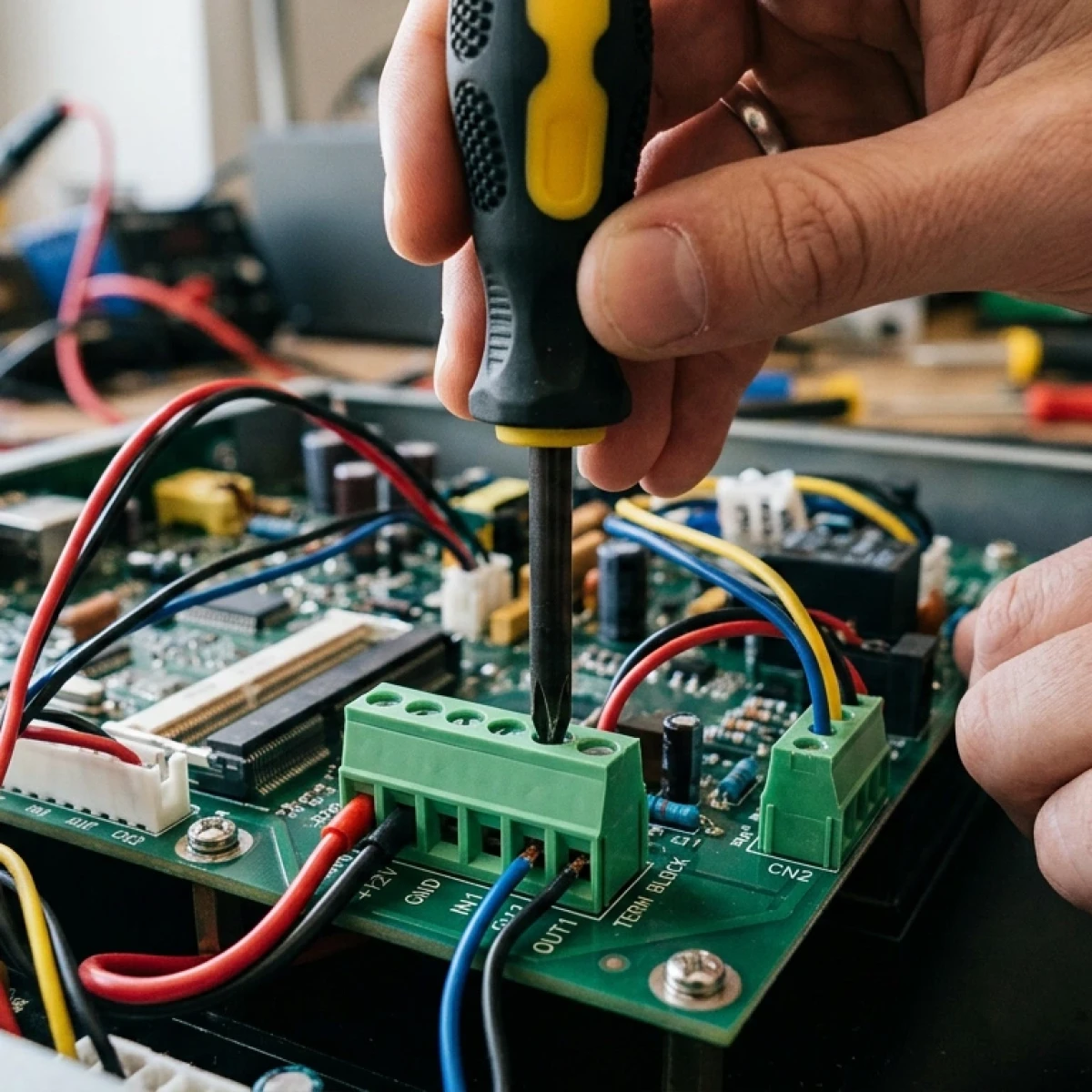
Wire your DC loads to the SmartSwitch channels

Connect up to four DC circuits – such as lighting, pumps, ventilation or auxiliary devices – to the SmartSwitch outputs. Each channel becomes a controllable load within the Victron environment.

Step 3

Configure and control through the Victron interface

Use the Cerbo GX display or Victron system interface to name, organise and control loads. Once configured, DC circuits can be monitored and managed alongside the rest of the power system.

Technical support you can rely on – from the engineers who built it

Energy Solutions designs and manufactures SmartSwitch DC4 in the UK and supports it with the engineers who understand how it’s built and how it’s used. Whether you’re mid-install or diagnosing a behaviour in the field, you have support to hand from people who actually know what to do next. As one of Victron’s key UK distributors, SmartSwitch is Victron-native by design. If you’re building Victron systems, SmartSwitch DC4 is one of the simplest upgrades you can make – for the installer and the end user experience.

SmartSwitch FAQs

What is digital DC switching in a Victron power system?

Digital DC switching is a smart way to control DC loads within a Victron power system using software rather than traditional manual switches or large relay banks. Instead of wiring individual switches and relays for each circuit, a digital switching unit like the SmartSwitch DC4 allows multiple DC loads to be managed through a central interface.


In a Victron setup, this means devices connected to the battery, inverter, solar controller and other energy components can be controlled from the same system. Through a Cerbo GX interface, users can monitor and manage power distribution, automate load behaviour and maintain visibility across the entire energy system.


The result is a cleaner installation, improved power management and a smarter way to control DC circuits in marine, vehicle, RV and off-grid applications.

How does SmartSwitch DC4 control DC loads in a Victron system?

SmartSwitch DC4 acts as a digital DC load controller that manages up to four independent output channels. Each channel operates as an electronically controlled circuit that can switch DC power to devices such as lights, extraction fans, small fridges or fans.


Instead of relying on traditional mechanical switches or large relay panels, SmartSwitch DC4 connects directly to the Victron system and allows loads to be controlled through the Cerbo GX interface. Installers configure the channels through the Victron environment, where loads can be switched, monitored and organised within the wider energy system.


This approach allows DC circuits to become part of the overall Victron power architecture, giving installers and users clearer visibility and easier control of loads without adding complex switching hardware.

How does SmartSwitch DC4 integrate with a Victron Cerbo GX?

SmartSwitch DC4 is designed for native integration with Victron Cerbo GX systems. Once connected to the CANbus network, the unit becomes part of the Victron ecosystem and can be controlled through the GX interface, touchscreen display or the VRM remote monitoring portal.


Through this integration, users can:
  • • Monitor the state of each DC load.
  • • Control circuits remotely.
  • • Automate switching behaviour.
  • • Configure load management rules.

This connectivity allows DC loads to be managed alongside other components like the battery bank, inverter, solar charge controller and energy monitoring devices, creating a unified power management environment.

What types of loads can SmartSwitch DC4 control in a 12V or 24V system?

SmartSwitch DC4 is designed to control a wide range of 12V and 24V DC loads commonly found in marine, vehicle, and off-grid installations.


Typical applications include:
  • • Interior and exterior lighting.
  • • Water pumps.
  • • Fans and ventilation systems.
  • • Refrigerators and fridges.
  • • Auxiliary electrical devices.
  • • Control lighting circuits.
  • • Small DC appliances.

  • Each output channel acts as a controlled circuit capable of switching loads within the system’s current limits. This makes the unit suitable for controlling everyday electrical devices while maintaining proper circuit protection and monitoring.

Can SmartSwitch DC4 be used in marine, RV or off-grid solar installations?

Yes. SmartSwitch DC4 is designed for marine, vehicle, RV and off-grid energy applications where Victron power systems are used. In these environments, systems often include components such as:


  • • Solar panels and solar charge controllers.
  • • Battery banks.
  • • Inverters.
  • • DC distribution circuits.
  • • Energy monitoring systems.

  • SmartSwitch DC4 allows installers to bring these loads into the same smart control environment, improving automation, monitoring and operational efficiency. This is particularly valuable in vehicles, boats, cabins and remote homes where power management is critical.

How many DC circuits or channels can SmartSwitch DC4 manage?

Each SmartSwitch DC4 unit provides four independent output channels, allowing four separate DC circuits to be controlled and monitored from a single module.


For larger installations, multiple units can be combined. Up to five SmartSwitch DC4 units can be daisy-chained, giving installers the ability to manage up to 20 output channels within one Victron system.


This scalable design allows the switching system to grow alongside the installation without needing complex relay panels or large distribution boards.

How does SmartSwitch DC4 improve power and energy management in Victron systems?

SmartSwitch DC4 improves energy management and system efficiency by making DC loads visible and controllable within the Victron monitoring environment.


When DC circuits are integrated into the system, installers and users can:
  • • Monitor load status and current draw.
  • • Control load behaviour.
  • • Prevent overload situations.
  • • Automate device operation.
  • • Optimise battery usage.

  • This improves how the battery, inverter, solar controller and other power components interact within the energy system. By managing loads intelligently, the overall system operates more efficiently and is easier to monitor and maintain.

Does SmartSwitch DC4 provide overload protection and circuit protection?

Yes. SmartSwitch DC4 includes built-in overload protection and circuit protection for each output channel.


The system monitors current and temperature during operation. If a circuit exceeds safe operating conditions, the unit can automatically shut down the affected channel to protect the system and connected devices.


Once conditions return to normal, the system can perform an auto-recovery, restoring operation without requiring manual intervention. This helps protect wiring, connected loads and the wider power system.

How is SmartSwitch DC4 installed in a Victron system?

SmartSwitch DC4 is designed to simplify installation compared with traditional relay-based switching systems.


The typical installation process includes:
  • 1. Connecting the DC power input from the battery system.
  • 2. Wiring loads to the output channels.
  • 3. Connecting the unit to the CANbus communication network.
  • 4. Integrating the device with the Victron Cerbo GX interface.
  • 5. Configuring load control and automation settings.

  • Because the switching and protection functions are built into the unit, installers can reduce wiring complexity, eliminate large relay banks and create a cleaner electrical installation.

Can SmartSwitch DC4 automate DC load control?

Yes. SmartSwitch DC4 supports automation and programmable load control through the Victron system.


Automation rules can be configured to switch loads based on system conditions such as:
  • • Battery voltage levels.
  • • Time schedules.
  • • System state or operational mode.
  • • Remote commands from the monitoring interface.

  • This allows systems to automatically manage loads for improved energy efficiency, battery protection and overall system performance.

How can users monitor DC loads with SmartSwitch DC4?

Users can monitor DC loads directly through the Victron GX interface or VRM monitoring platform.


The system provides visibility into the status of each channel, including:
  • • Whether a load is on or off.
  • • Current system state.
  • • Circuit activity.
  • • Load behaviour within the energy system.

  • This monitoring capability helps installers and users quickly identify issues, optimise system performance and maintain reliable operation across all connected devices.

Is SmartSwitch DC4 compatible with CANbus, NMEA 2000, or J1939 networks?

Yes. SmartSwitch DC4 is designed for compatibility with several common communication networks used in marine and vehicle systems.


Supported communication includes:
  • • CANbus communication
  • • Compatibility with Victron VE.Can networks (pinout/integration)
  • • NMEA 2000 support
  • • J1939 protocol support

  • This allows the unit to communicate with other systems and controllers while maintaining reliable data exchange and system integration.

What are the advantages of digital switching compared with relay banks and manual switch panels?

Traditional DC switching often relies on large relay banks, fuse panels and manual switches. While these systems work, they can create complex wiring layouts and limited monitoring capabilities.


Digital switching offers several advantages:
  • • Cleaner electrical installations.
  • • Reduced wiring complexity.
  • • Integrated monitoring and diagnostics.
  • • Remote control capability.
  • • Automation of loads.
  • • Improved system visibility.

  • By moving switching into the software layer of the system, installers can create more efficient, flexible and scalable power management solutions.

Can multiple SmartSwitch DC4 units be combined in one Victron installation?

Yes. SmartSwitch DC4 is designed to scale with the size of the installation.


Multiple units can be connected together through the CANbus network, allowing installers to expand the number of available channels. Up to five units can be connected, giving a total of 20 controllable output channels.


This modular design allows the switching system to grow as additional loads or devices are added to the Victron installation.

Who should use SmartSwitch DC4 in a Victron system?

SmartSwitch DC4 is designed primarily for Victron system installers, converters and system builders working with 12V or 24V power systems.


It is particularly useful for:
  • • Marine electrical installers.
  • • RV and camper converters.
  • • Off-grid solar system integrators.
  • • Vehicle upfitters.
  • • Victron distributors and technical installers.

  • Anyone building or managing Victron systems can use SmartSwitch DC4 to improve load control, system monitoring, automation and overall energy management.

Sign up to our mailing list

Keep up to date with the latest news and offers.

Submitting your details indicates that you have read and agree to our privacy policy and cookie policy. You can unsubscribe from our emails by using the link at the bottom of all emails we send.

Your choice regarding cookies

We use cookies to personalise content and ads, to provide social media features and to analyse our traffic. We also share information about your use of our site with our social media, advertising and analytics partners who may combine it with other information that you've provided to them or that they've collected from your use of their services. You consent to our cookies if you continue to use our website. Read our cookie policy.

Necessary cookies

Necessary cookies are required for this website to operate correctly. The only way to disable these is to update your browser settings.

Analytical cookies

These cookies help us gain an insight into how people use our website. This information is used to improve the websites performance and features we offer.

Social sharing cookies

We use social plugins to help you share content and interact with your friends. These plugins can set cookies on your machine to track how many times a page has been shared.

3rd party media cookies

We embed videos from 3rd party services such as Youtube. These services may set cookies on your computer once you click on the player.

This website uses cookies

We use cookies to personalise content and ads, to provide social media features and to analyse our traffic. We also share information about your use of our site with our social media, advertising and analytics partners who may combine it with other information that you've provided to them or that they've collected from your use of their services. You consent to our cookies if you continue to use our website. Read our cookie policy.
